Migrating Legacy Databases: A Real-World n8n + PostgreSQL Story
How we migrated decades of business data from a legacy system to a modern Laravel application using n8n workflows and PostgreSQL.

Robert Fridzema
Fullstack Developer
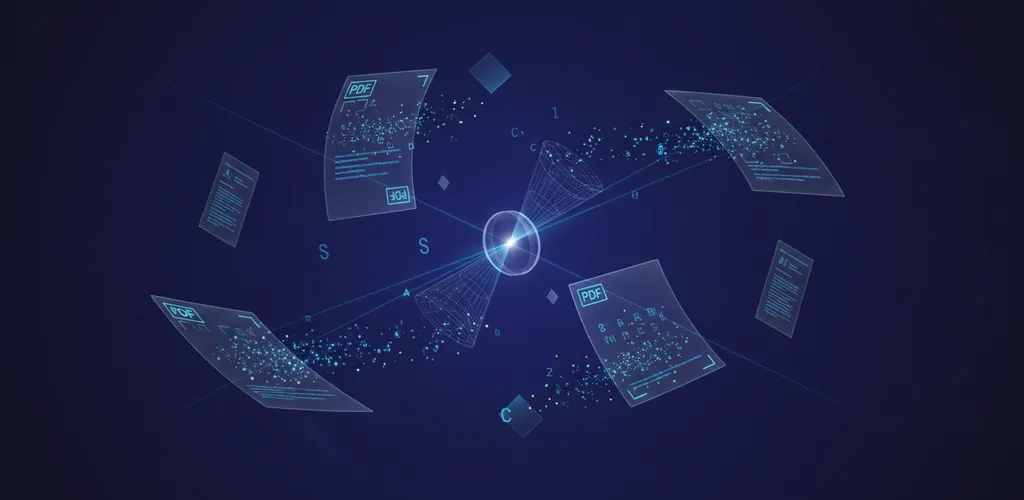
Data migrations are terrifying. You're moving years of business-critical data, and one mistake can mean lost records, broken relationships, or angry customers. This is the story of how we migrated a legacy ERP system to a modern Laravel application using n8n as our orchestration layer.
The Challenge
Our client had been running a custom ERP system for over 15 years. The legacy system:
- Ran on an outdated database with inconsistent schemas
- Had data quality issues accumulated over years
- Contained business logic embedded in stored procedures
- Was the single source of truth for 50,000+ customer records
The target was a modern Laravel application with a clean PostgreSQL database. We needed to:
- Migrate all historical data without loss
- Transform data to match new schemas
- Maintain referential integrity
- Allow the business to keep running during migration
- Provide rollback capability
Why n8n?
We evaluated several approaches:
| Approach | Pros | Cons |
|---|---|---|
| Custom scripts | Full control | Hard to monitor, no UI |
| ETL tools (Talend, etc.) | Powerful | Expensive, steep learning curve |
| Laravel commands | Familiar | Limited orchestration |
| n8n | Visual, flexible, free | Learning curve |
n8n won because:
- Visual workflow design - Non-developers could understand and verify logic
- Built-in error handling - Retries, dead letter queues, notifications
- API integrations - Easy to connect to both systems
- Self-hosted - Data never leaves our infrastructure
- Webhook triggers - Start migrations on-demand or scheduled
Architecture Overview
┌─────────────────┐     ┌─────────────────┐     ┌─────────────────┐
│  Legacy System  │────▶│      n8n        │────▶│   PostgreSQL    │
│   (Source DB)   │     │  (Orchestrator) │     │   (Target DB)   │
└─────────────────┘     └─────────────────┘     └─────────────────┘
                               │
                               ▼
                        ┌─────────────────┐
                        │  Laravel API    │
                        │  (Validation)   │
                        └─────────────────┘
All components ran in Docker for consistency:
# docker-compose.yml
services:
  n8n:
    image: n8nio/n8n
    ports:
      - "5678:5678"
    volumes:
      - n8n_data:/home/node/.n8n
      - ./workflows:/workflows
    environment:
      - N8N_BASIC_AUTH_ACTIVE=true
      - EXECUTIONS_DATA_PRUNE=true
      - EXECUTIONS_DATA_MAX_AGE=168

  postgres:
    image: postgres:16
    volumes:
      - pg_data:/var/lib/postgresql/data
    environment:
      - POSTGRES_DB=migration_target

  legacy_db:
    # Read-only replica of legacy system
    ...
Migration Strategy
We broke the migration into phases:
Phase 1: Schema Analysis
First, understand what you're working with:
-- Analyze legacy table structures
SELECT
  table_name,
  column_name,
  data_type,
  is_nullable
FROM information_schema.columns
WHERE table_schema = 'public'
ORDER BY table_name, ordinal_position;
Document every table, column, and relationship. We found:
- 47 tables with data
- 12 tables with no foreign keys (denormalized)
- 3 different date formats
- Customer IDs stored as both INT and VARCHAR
Phase 2: Data Quality Assessment
Before migrating, assess data quality:
-- Find orphaned records
SELECT COUNT(*) as orphaned_orders
FROM orders o
LEFT JOIN customers c ON o.customer_id = c.id
WHERE c.id IS NULL;

-- Check for duplicates
SELECT email, COUNT(*) as count
FROM customers
GROUP BY email
HAVING COUNT(*) > 1;

-- Validate required fields
SELECT COUNT(*) as missing_names
FROM customers
WHERE name IS NULL OR name = '';
We found 2,847 data quality issues that needed decisions before migration.
Phase 3: Mapping Document
Create a detailed mapping for every field:
| Legacy Table | Legacy Column | Target Table | Target Column | Transform |
|---|---|---|---|---|
| cust | cust_id | customers | id | Direct |
| cust | cust_name | customers | name | Trim, Title Case |
| cust | cust_email | customers | Lowercase, Validate | |
| cust | created | customers | created_at | Parse DD-MM-YYYY |
Phase 4: n8n Workflow Design
Each entity got its own workflow:
Customer Migration Workflow
[Webhook Trigger]
       │
       ▼
[Query Legacy DB] ─── SELECT * FROM cust WHERE migrated = 0 LIMIT 1000
       │
       ▼
[Loop Over Items]
       │
       ▼
[Transform Data] ─── Clean, validate, map fields
       │
       ▼
[Check Existing] ─── Does customer exist in target?
       │
       ├── Yes ─▶ [Update Record]
       │
       └── No ──▶ [Insert Record]
       │
       ▼
[Mark Migrated] ─── UPDATE cust SET migrated = 1 WHERE id = ?
       │
       ▼
[Error Handler] ─── Log failures, notify team
Key n8n Patterns
Batch Processing
// In Function node - process in batches
const batchSize = 1000;
const offset = $input.first().json.offset || 0;

return {
  json: {
    query: `SELECT * FROM customers OFFSET ${offset} LIMIT ${batchSize}`,
    nextOffset: offset + batchSize
  }
};
Data Transformation
// Clean and transform customer data
return items.map(item => {
  const data = item.json;

  return {
    json: {
      id: data.cust_id,
      name: titleCase(data.cust_name?.trim() || 'Unknown'),
      email: data.cust_email?.toLowerCase().trim(),
      created_at: parseDate(data.created), // DD-MM-YYYY to ISO
      legacy_id: data.cust_id, // Keep reference
    }
  };
});

function titleCase(str) {
  return str.replace(/\w\S*/g, txt =>
    txt.charAt(0).toUpperCase() + txt.substr(1).toLowerCase()
  );
}

function parseDate(dateStr) {
  if (!dateStr) return new Date().toISOString();
  const [day, month, year] = dateStr.split('-');
  return new Date(year, month - 1, day).toISOString();
}
Error Handling
// Catch and log errors without stopping the workflow
try {
  // Migration logic
} catch (error) {
  // Log to error table
  await $node["Postgres"].execute({
    query: `INSERT INTO migration_errors (entity, record_id, error, created_at)
            VALUES ($1, $2, $3, NOW())`,
    values: ['customer', item.id, error.message]
  });

  // Continue with next item
  return [];
}
Handling Relationships
The trickiest part was maintaining referential integrity. Orders reference customers, order items reference products, etc.
Strategy: Migrate in dependency order
1. Customers (no dependencies)
2. Products (no dependencies)
3. Orders (depends on customers)
4. Order Items (depends on orders, products)
5. Invoices (depends on orders)
Keep ID mappings
-- Mapping table
CREATE TABLE id_mappings (
  entity VARCHAR(50),
  legacy_id VARCHAR(50),
  new_id UUID,
  PRIMARY KEY (entity, legacy_id)
);
// Look up mapped IDs during migration
const customerMapping = await $node["Postgres"].execute({
  query: `SELECT new_id FROM id_mappings
          WHERE entity = 'customer' AND legacy_id = $1`,
  values: [item.legacy_customer_id]
});

if (!customerMapping.length) {
  throw new Error(`Customer ${item.legacy_customer_id} not yet migrated`);
}

item.customer_id = customerMapping[0].new_id;
Data Validation Patterns
Validation is your safety net. Without it, you're just moving garbage from one database to another. We implemented validation at multiple layers.
Schema-Level Validation
Every record went through the Laravel API for validation:
// app/Http/Controllers/MigrationController.php
public function validateCustomer(Request $request)
{
    $validated = $request->validate([
        'name' => 'required|string|max:255',
        'email' => 'required|email|unique:customers,email',
        'created_at' => 'required|date',
    ]);

    // Additional business logic validation
    if ($this->isDuplicateByPhone($request->phone)) {
        return response()->json([
            'valid' => false,
            'error' => 'Duplicate phone number'
        ]);
    }

    return response()->json(['valid' => true]);
}
Business Rule Validation
Some validation rules can't be expressed in simple schema constraints:
// app/Services/MigrationValidator.php
class MigrationValidator
{
    public function validateOrder(array $data): ValidationResult
    {
        $errors = [];

        // Order total must match sum of line items
        $calculatedTotal = collect($data['items'])
            ->sum(fn($item) => $item['quantity'] * $item['unit_price']);

        if (abs($calculatedTotal - $data['total']) > 0.01) {
            $errors[] = "Order total mismatch: expected {$calculatedTotal}, got {$data['total']}";
        }

        // Order date must be before or equal to ship date
        if ($data['ship_date'] && $data['order_date'] > $data['ship_date']) {
            $errors[] = "Ship date cannot be before order date";
        }

        // Customer must exist
        if (!Customer::where('legacy_id', $data['customer_id'])->exists()) {
            $errors[] = "Customer {$data['customer_id']} not found";
        }

        return new ValidationResult(empty($errors), $errors);
    }
}
Post-Migration Validation Queries
After each batch, run validation queries to catch issues early:
-- Check referential integrity
SELECT o.id, o.customer_id
FROM orders o
LEFT JOIN customers c ON o.customer_id = c.id
WHERE c.id IS NULL AND o.created_at > NOW() - INTERVAL '1 hour';

-- Verify data completeness
SELECT
    COUNT(*) as total_orders,
    COUNT(CASE WHEN total IS NULL THEN 1 END) as missing_totals,
    COUNT(CASE WHEN customer_id IS NULL THEN 1 END) as missing_customers
FROM orders
WHERE migrated_at > NOW() - INTERVAL '1 hour';

-- Check for data truncation
SELECT id, name
FROM customers
WHERE LENGTH(name) = 255
AND migrated_at > NOW() - INTERVAL '1 hour';
Progress Tracking and Logging
Visibility is crucial during long-running migrations. You need to know where you are, how fast you're going, and when you'll finish.
Real-time Dashboard
n8n's execution history provided visibility, but we added custom monitoring:
-- Migration progress view
CREATE VIEW migration_progress AS
SELECT
  'customers' as entity,
  (SELECT COUNT(*) FROM legacy.cust) as total,
  (SELECT COUNT(*) FROM legacy.cust WHERE migrated = 1) as migrated,
  (SELECT COUNT(*) FROM migration_errors WHERE entity = 'customer') as errors
UNION ALL
SELECT
  'orders' as entity,
  (SELECT COUNT(*) FROM legacy.orders) as total,
  (SELECT COUNT(*) FROM legacy.orders WHERE migrated = 1) as migrated,
  (SELECT COUNT(*) FROM migration_errors WHERE entity = 'order') as errors;
Detailed Logging Table
Track every operation for audit and debugging:
CREATE TABLE migration_log (
    id SERIAL PRIMARY KEY,
    entity VARCHAR(50) NOT NULL,
    operation VARCHAR(20) NOT NULL, -- 'insert', 'update', 'skip', 'error'
    legacy_id VARCHAR(50),
    new_id UUID,
    details JSONB,
    duration_ms INTEGER,
    created_at TIMESTAMP DEFAULT NOW()
);

CREATE INDEX idx_migration_log_entity ON migration_log(entity);
CREATE INDEX idx_migration_log_created ON migration_log(created_at);
CREATE INDEX idx_migration_log_operation ON migration_log(operation);
n8n Logging Integration
// Log every operation in n8n Function node
const startTime = Date.now();

try {
    // ... migration logic ...

    await $node["Postgres"].execute({
        query: `INSERT INTO migration_log (entity, operation, legacy_id, new_id, duration_ms, details)
                VALUES ($1, $2, $3, $4, $5, $6)`,
        values: [
            'customer',
            existing ? 'update' : 'insert',
            item.legacy_id,
            newId,
            Date.now() - startTime,
            JSON.stringify({ source: item, transformed: transformed })
        ]
    });
} catch (error) {
    await $node["Postgres"].execute({
        query: `INSERT INTO migration_log (entity, operation, legacy_id, duration_ms, details)
                VALUES ($1, 'error', $2, $3, $4)`,
        values: ['customer', item.legacy_id, Date.now() - startTime, JSON.stringify({ error: error.message })]
    });
    throw error;
}
Progress Estimation
-- Estimate remaining time
SELECT
    entity,
    total,
    migrated,
    ROUND(100.0 * migrated / total, 2) as percent_complete,
    ROUND(AVG(duration_ms)) as avg_duration_ms,
    ROUND((total - migrated) * AVG(duration_ms) / 1000 / 60, 1) as estimated_minutes_remaining
FROM migration_progress mp
JOIN migration_log ml ON ml.entity = mp.entity
WHERE ml.created_at > NOW() - INTERVAL '10 minutes'
GROUP BY entity, total, migrated;
Rollback Strategies
Every migration must be reversible. When things go wrong (and they will), you need a clear path back.
Strategy 1: Soft Delete with Legacy ID
The simplest approach - mark migrated records and delete them if needed:
-- Rollback script
DELETE FROM customers WHERE legacy_id IS NOT NULL;
UPDATE legacy.cust SET migrated = 0;
TRUNCATE migration_errors;
Strategy 2: Point-in-Time Snapshots
For critical migrations, create snapshots before starting:
-- Before migration
CREATE TABLE customers_backup_20250114 AS SELECT * FROM customers;
CREATE TABLE orders_backup_20250114 AS SELECT * FROM orders;

-- Rollback
TRUNCATE customers;
INSERT INTO customers SELECT * FROM customers_backup_20250114;
Strategy 3: Incremental Rollback
When you need to roll back specific batches:
-- Create rollback tracking
CREATE TABLE rollback_batches (
    batch_id UUID PRIMARY KEY DEFAULT gen_random_uuid(),
    entity VARCHAR(50),
    started_at TIMESTAMP,
    completed_at TIMESTAMP,
    record_count INTEGER,
    status VARCHAR(20) DEFAULT 'in_progress'
);

-- Tag records with batch ID
ALTER TABLE customers ADD COLUMN migration_batch_id UUID;

-- Rollback specific batch
DELETE FROM customers WHERE migration_batch_id = 'batch-uuid-here';
UPDATE rollback_batches SET status = 'rolled_back' WHERE batch_id = 'batch-uuid-here';
Strategy 4: Dual-Write Period
For zero-downtime migrations, write to both systems:
// In n8n - write to both old and new systems
const newRecord = await $node["NewPostgres"].insert(transformed);
await $node["LegacyDB"].update({
    query: `UPDATE cust SET synced_id = $1, last_synced = NOW() WHERE cust_id = $2`,
    values: [newRecord.id, item.legacy_id]
});
Handling Failures Gracefully
Failures are inevitable. The question is how you handle them.
Dead Letter Queue Pattern
Don't let one bad record stop the entire migration:
// n8n Function node with error handling
const results = [];
const failures = [];

for (const item of items) {
    try {
        const result = await migrateRecord(item);
        results.push(result);
    } catch (error) {
        failures.push({
            item,
            error: error.message,
            timestamp: new Date().toISOString()
        });
    }
}

// Store failures for later retry
if (failures.length > 0) {
    await $node["Postgres"].execute({
        query: `INSERT INTO migration_dlq (entity, payload, error, created_at)
                SELECT 'customer', payload::jsonb, error, created_at::timestamp
                FROM jsonb_array_elements($1::jsonb) WITH ORDINALITY AS t(payload, error, created_at)`,
        values: [JSON.stringify(failures)]
    });
}

return results;
Retry Logic
// Exponential backoff retry
async function migrateWithRetry(item, maxRetries = 3) {
    for (let attempt = 1; attempt <= maxRetries; attempt++) {
        try {
            return await migrateRecord(item);
        } catch (error) {
            if (attempt === maxRetries) throw error;

            const delay = Math.pow(2, attempt) * 1000; // 2s, 4s, 8s
            await new Promise(resolve => setTimeout(resolve, delay));

            console.log(`Retry ${attempt}/${maxRetries} for ${item.id} after ${delay}ms`);
        }
    }
}
Circuit Breaker
Stop the migration if too many failures occur:
// Track failure rate
const FAILURE_THRESHOLD = 0.05; // 5%
const WINDOW_SIZE = 100;

let recentResults = [];

function recordResult(success) {
    recentResults.push(success);
    if (recentResults.length > WINDOW_SIZE) {
        recentResults.shift();
    }

    const failureRate = recentResults.filter(r => !r).length / recentResults.length;

    if (failureRate > FAILURE_THRESHOLD && recentResults.length >= WINDOW_SIZE) {
        throw new Error(`Circuit breaker tripped: ${(failureRate * 100).toFixed(1)}% failure rate`);
    }
}
Notification Integration
Alert the team when issues occur:
// n8n webhook to Slack
if (failures.length > 10) {
    await $node["Slack"].send({
        channel: '#migration-alerts',
        text: `:warning: Migration alert: ${failures.length} failures in last batch`,
        attachments: [{
            color: 'warning',
            fields: [
                { title: 'Entity', value: 'customers', short: true },
                { title: 'Failures', value: failures.length.toString(), short: true },
                { title: 'Sample Error', value: failures[0].error }
            ]
        }]
    });
}
Testing Migrations
Never run a migration in production without thorough testing.
Test Data Subset
Create a representative subset of production data:
-- Create test dataset with realistic distribution
CREATE TABLE test_customers AS
SELECT * FROM legacy.cust
WHERE
    -- Include edge cases
    cust_id IN (
        SELECT cust_id FROM legacy.cust WHERE email IS NULL LIMIT 10
    )
    OR cust_id IN (
        SELECT cust_id FROM legacy.cust WHERE LENGTH(cust_name) > 100 LIMIT 10
    )
    -- Plus random sample
    OR random() < 0.01
LIMIT 1000;
Automated Test Suite
// tests/Feature/MigrationTest.php
class MigrationTest extends TestCase
{
    public function test_customer_transformation_preserves_data()
    {
        $legacy = [
            'cust_id' => '12345',
            'cust_name' => '  john DOE  ',
            'cust_email' => '[email protected]',
            'created' => '15-03-2020'
        ];

        $result = (new CustomerTransformer())->transform($legacy);

        $this->assertEquals('12345', $result['legacy_id']);
        $this->assertEquals('John Doe', $result['name']);
        $this->assertEquals('[email protected]', $result['email']);
        $this->assertEquals('2020-03-15T00:00:00.000Z', $result['created_at']);
    }

    public function test_migration_handles_null_email()
    {
        $legacy = [
            'cust_id' => '99999',
            'cust_name' => 'No Email Customer',
            'cust_email' => null,
            'created' => '01-01-2015'
        ];

        $result = (new CustomerTransformer())->transform($legacy);

        $this->assertNull($result['email']);
    }

    public function test_migration_rollback_works()
    {
        // Run migration
        $this->artisan('migrate:customers --batch=test-batch');

        // Verify data exists
        $this->assertDatabaseHas('customers', ['legacy_id' => '12345']);

        // Rollback
        $this->artisan('migrate:rollback --batch=test-batch');

        // Verify data removed
        $this->assertDatabaseMissing('customers', ['legacy_id' => '12345']);
    }
}
Dry Run Mode
Always support a dry run that validates without writing:
// n8n dry run mode
const DRY_RUN = $input.first().json.dryRun || false;

const transformed = transformCustomer(item);
const validation = await validateCustomer(transformed);

if (!validation.valid) {
    return { status: 'invalid', errors: validation.errors };
}

if (DRY_RUN) {
    return {
        status: 'dry_run',
        would_insert: transformed,
        validation: 'passed'
    };
}

// Actual insert
const result = await insertCustomer(transformed);
return { status: 'success', id: result.id };
Production Cutover Checklist
The big day. Here's what we verified before and during cutover.
Pre-Cutover (T-24 hours)
- Full backup of both source and target databases
- Tested restore from backups
- All team members know their roles
- Runbooks printed and accessible
- Monitoring dashboards configured
- Alert channels tested
- Stakeholders notified of maintenance window
Migration Start (T-0)
- Legacy system set to read-only mode
- Final sync of incremental changes
- Migration workflows triggered
- Progress dashboard visible to team
- Communication channel open with stakeholders
During Migration
- Monitor error rates (should stay below 1%)
- Check system resources (CPU, memory, disk)
- Verify no data loss warnings
- Hourly progress updates to stakeholders
- Document any manual interventions
Post-Migration Verification
- Row counts match (with documented exceptions)
- Foreign key integrity verified
- Sample records spot-checked manually
- Business-critical queries return expected results
- Application smoke tests pass
Go/No-Go Decision
If ALL true, proceed:
- Error rate < 1%
- Row count variance < 0.1%
- No critical validation failures
- Spot checks pass
- Stakeholder sign-off received

If ANY false, rollback:
- Execute rollback runbook
- Notify stakeholders
- Schedule post-mortem
Post-Cutover (T+24 hours)
- Monitor application errors
- Check customer support tickets for data issues
- Verify scheduled jobs work correctly
- Archive legacy system (don't delete yet!)
- Document lessons learned
Results
After 3 weeks of preparation and 4 days of execution:
- 52,847 customers migrated
- 187,432 orders migrated
- 99.7% success rate on first pass
- 847 records required manual review
- Zero data loss
Lessons Learned
- Invest in data quality analysis - Most issues were data quality, not technical
- Batch everything - Never try to migrate all records at once
- Keep legacy IDs - You'll need to cross-reference for months
- Test with production data - Sanitized copies revealed issues tests missed
- Plan for manual intervention - Some records need human decisions
- n8n is surprisingly powerful - Visual workflows made collaboration easier
Conclusion
Data migrations don't have to be scary. With the right tools and methodical approach, you can move decades of data safely. n8n provided the orchestration layer we needed, PostgreSQL gave us a solid target, and careful planning prevented disasters.
The key insight: migrations are 20% technical, 80% data quality and business decisions.
Planning a data migration? Reach out - I've been through this pain and happy to share more details.
Related Articles
n8n Workflow Patterns for Business Automation
Battle-tested patterns for building reliable, maintainable business automation workflows with n8n, from error handling to complex orchestration.

Building Production Electron Apps with Vue 3 and Azure SSO
A comprehensive guide to building secure, enterprise-ready Electron applications with Vue 3, TypeScript, and Azure AD authentication.

Implementing RAG with Laravel and pgvector
A practical guide to building Retrieval-Augmented Generation systems in Laravel using PostgreSQL's pgvector extension for semantic search.